

Quirky DB Fixes is a free Joomla 4.2, 5 and 6 component that finds and repairs the database problems a Joomla 3 migration and a database restart leave behind: articles missing from the Article Manager, missing Smart Search menu items, and the "Table finder_tokens doesn't exist" error. Each fix checks for its problem first, shows the SQL it will run, and lets you download a backup of the affected tables before you run it.
Why this exists
A Joomla 3 site migrated to Joomla 4 or 5 can end up without the workflow records Joomla 4 added. The articles are still in the database, but the Article Manager doesn't list them, and nothing in Joomla says why. Smart Search has two tables that live in memory, so a MySQL restart wipes them and saving an article starts failing. Each of these takes a few lines of SQL to fix, as long as you know which lines. This component packages the fixes Cybersalt was running by hand on migrated client sites, with a check in front of each one so you only run what your site needs.
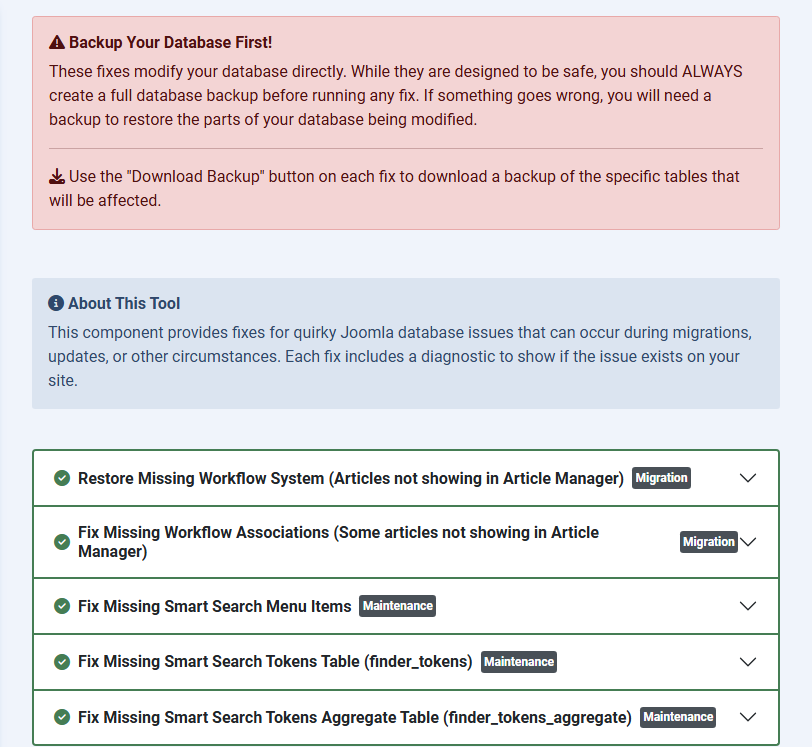
What it fixes
| Fix | What you see before | What the fix does |
|---|---|---|
| Restore missing workflow system | No articles in the Article Manager after a migration. | Creates the four workflow tables if they're missing and adds Joomla's default workflow, stage and seven transitions. |
| Fix missing workflow associations | Some articles are missing from the Article Manager. | Links every article without a workflow record to the default workflow. |
| Fix missing Smart Search menu items | Smart Search's admin submenu is incomplete. | Puts back the missing Smart Search menu items. |
| Fix missing Smart Search tokens table | "Table finder_tokens doesn't exist" when saving. | Recreates the finder_tokens MEMORY table, with the collation your other Smart Search tables use. |
| Fix missing Smart Search tokens aggregate table | The same error for finder_tokens_aggregate. |
Recreates the finder_tokens_aggregate MEMORY table. |
Installing it
- Download the ZIP with the button above.
- In Joomla admin, go to System → Install → Extensions and upload the ZIP. The same ZIP installs on Joomla 4.2 and later, Joomla 5 and Joomla 6.
- Open Components → CS Quirky DB Fixes. The screens come in 15 languages.
Using it
- Back up the whole database first. The fixes are written to be safe, but they change the database directly.
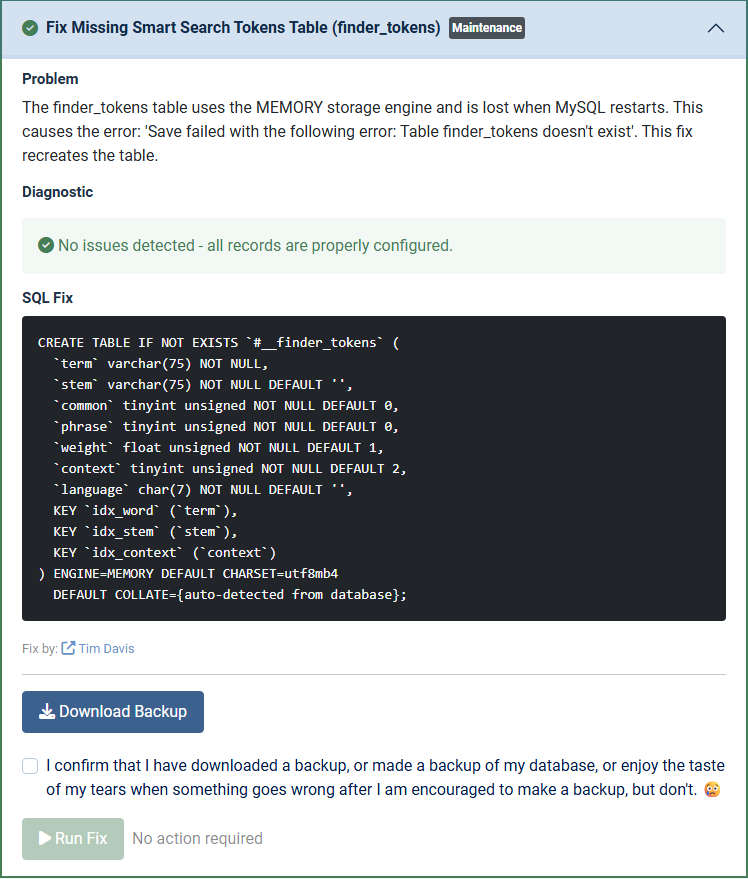
- Open a fix. Its diagnostic says whether your site has the problem, and the SQL it would run is shown in full.
- Click Download Backup to save the tables that fix touches, tick the confirmation box, and click Run Fix. Fixes for problems your site doesn't have stay switched off.
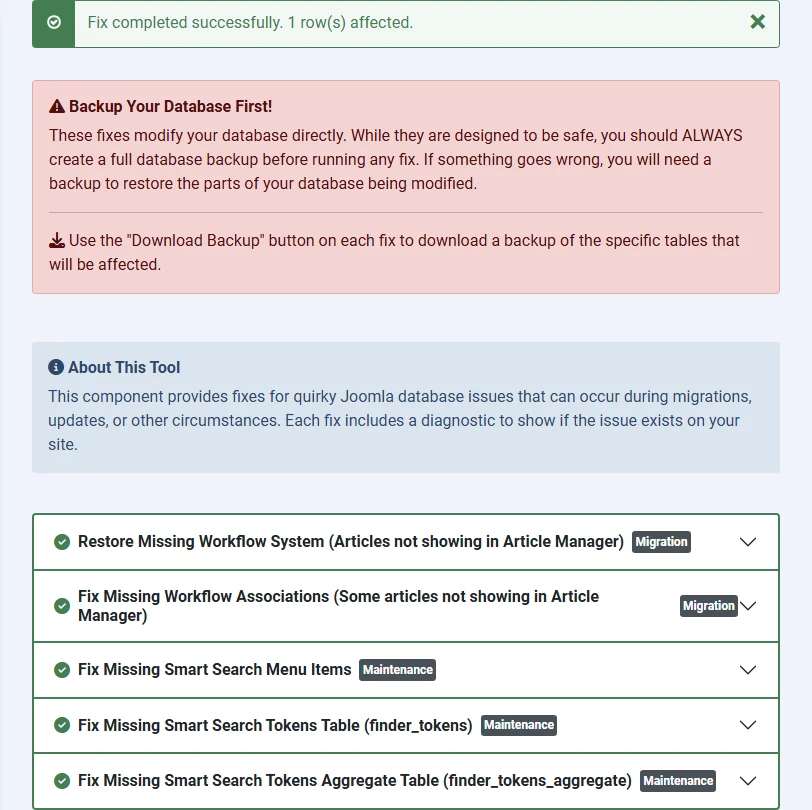
After Run Fix, the result shows at the top and the diagnostic runs again:
Installing it on a Joomla 4 site that is stuck mid-migration is a good use: repair the workflow and Smart Search tables there, then upgrade to Joomla 5 with a clean database.
Permissions and security
Only Super Users can open the component, run a fix or download a backup. Other administrators don't see it in the Components menu.
Open source
Quirky DB Fixes is open source under GPL-2.0-or-later. Download it here on cybersalt.com. The source code and issue tracker are on GitHub at github.com/cybersalt/cs-quirky-db-fixes. Thanks to Phil Taylor for the pull request that made it Super Users only.




Add comment