

"Two Factor Authentication, also known as 2FA, two step verification or TFA (as an acronym), is an extra layer of security that is known as "multi factor authentication" that requires not only a password and username but also something that only, and only, that user has on them, i.e. a piece of information only they should know or have immediately to hand - such as a physical token. - https://www.securenvoy.com/two-factor....
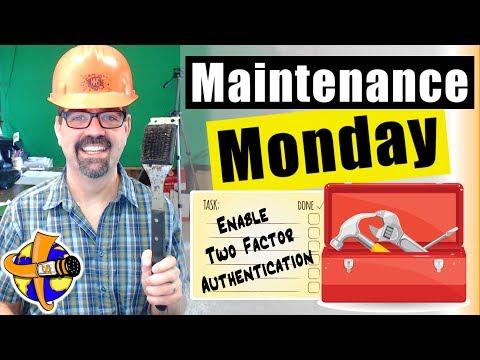
Two Factor Authentication is available for #Joomla using Google Authenticator or YubiKey, but it must be enabled in Joomla for users to take advantage of that. How to enable Two Factor Authentication for Joomla users who want to use one of those 2FA methods when logging in is what today's #maintenancemonday is all about.
00:00:00 – Stream Start & Setup
00:00:38 – Topic & Announcements
00:01:23 – Giveaway & Updates
00:02:30 – 2FA Explained
00:03:23 – Enable 2FA in Joomla
00:04:35 – Enable 2FA with myJoomla.com
00:06:15 – Verify 2FA Works
00:07:12 – Viewer Q&A & Password Tools
00:08:09 – Live Chat & Troubleshooting
00:09:49 – Real Client Problems
00:12:15 – Community & Personal Chat
00:14:09 – Advanced 2FA Talk
00:16:02 – Tools & Future Plans
00:21:15 – Final Wrap-Up
Summary
-
Introduction & Livestream Setup –
Opening the Maintenance Monday stream, addressing technical delays, and setting the focus on enabling Two-Factor Authentication (2FA) in Joomla. -
Topic Overview & Announcements –
Overview of the 2FA topic, upcoming YubiKey tutorials, and reminders to like, subscribe, and stay notified. -
Giveaway & Community Updates –
Monthly giveaway details, prizes from Joomla partners, and early community engagement. -
Two-Factor Authentication Explained –
Clear explanation of what 2FA is, why it matters, and differences between Google Authenticator and hardware keys. -
Enabling 2FA Using Joomla Core –
Step-by-step walkthrough of enabling Joomla’s built-in 2FA plugins and why Super Users must use 2FA. -
Using myJoomla.com to Enable 2FA –
Demonstration of enabling 2FA through the myJoomla security dashboard with one-click fixes and safety reminders. -
Verifying Two-Factor Authentication –
Logging in to confirm 2FA is working and comparing Joomla core vs myJoomla approaches. -
Viewer Questions & Troubleshooting –
Addressing lockout fears, login confusion, password managers, and common user mistakes. -
Advanced 2FA & Real-World Scenarios –
Discussion of YubiKey hardware tokens, backup codes, emergency access, and database recovery options. -
Wrap-Up & Future Plans –
Preview of advanced 2FA content, tool testing, community appreciation, and final livestream close.
Please send any feedback or bug reports or queries to;
Contact Tim Davis ►
Joomla Training Cohort ► https://cybersalt.com/jtc

Add comment