

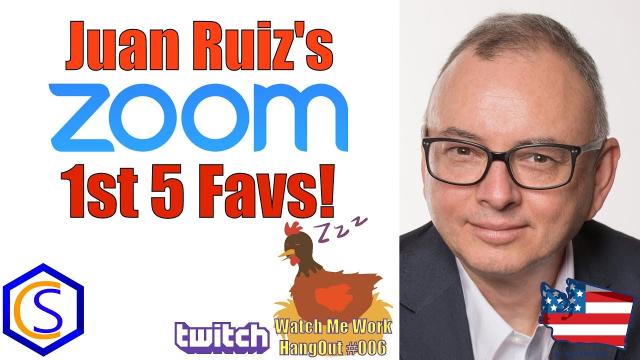
Zoom is a great way to video conference with clients you are building a website for, someone who is building your site, or even customers of your site and business. In this video, Juan Ruiz shares his 1st 5 Favorites about using Zoom for online meetings and collaboration!
00:00:00 – Intro, Sponsors & WMW #7 Overview
00:00:45 – Meet Juan Ruiz and Award Networks
00:04:59 – Zoom Features Demo: Connectivity, Views, Screen Sharing, Remote Control & Polls
00:41:45 – Vinny Joins the Zoom Call
00:47:52 – Zoom Breakout Rooms Tutorial
00:52:40 – Peter van Westen Joins the Discussion
00:56:34 – Breakout Room Issues and Solutions
01:03:12 – Zoom Review and Key Takeaways
01:04:00 – Kajabi, ClickFunnels and Facebook Ads
01:06:29 – Preview of Vinny's Old Time Radio Project
01:12:33 – Regular Labs "What Nothing" Extension
01:17:14 – The Code Behind "What Nothing"
01:20:00 – AcyMailing for Joomla and WordPress
01:26:04 – Joomla Password Security Tips
01:29:00 – Wrap-Up and Closing Remarks
Summary
1. Joomla Watch Me Work #7 | Zoom Features with Juan Ruiz
Tim opens the stream and introduces special guest Juan Ruiz from Award Networks, a Joomla friend of over 15 years.
2. Meet Juan Ruiz: Award Networks
Juan shares his background and long history with Joomla, setting the stage for a deep dive into Zoom's collaborative features.
3. Zoom Feature #1: Connect People Across Continents
Juan demonstrates how Zoom bridges geographical gaps, allowing teams and clients to collaborate seamlessly from anywhere in the world.
4. Zoom Feature #2: Low Bandwidth Performance
A key feature is highlighted: Zoom works reliably even on slow 800kbps DSL connections, making it accessible for users with limited internet.
5. Zoom Speaker View vs Gallery View Explained
Tim and Juan walk through the difference between Speaker View (focus on active talker) and Gallery View (see multiple participants at once).
6. Zoom Feature #3: Screen Sharing with Thumbnail Overlay
Screen sharing is demonstrated with a thumbnail overlay, allowing presenters to share content while still showing their face for better engagement.
7. Zoom Feature #4: Remote Control Mouse & Keyboard
A powerful support feature is shown: taking remote control of another participant's mouse and keyboard to troubleshoot issues directly.
8. Zoom Feature #5: Polls – Create, Launch & Share Results
Juan demonstrates creating, launching, and sharing poll results in real time, making meetings more interactive and data-driven.
9. Vinny & Peter Join | Breakout Rooms Tutorial
Vinny and Peter van Westen join the Zoom call as Tim walks through Breakout Rooms—how to create them, common issues, and fixes for smooth operation.
10. Honest Zoom Review, Business Stack & Wrap-Up
Tim and Juan share an honest review of what works and what doesn't in Zoom, discuss Juan's business stack (Kajabi, ClickFunnels, Facebook Ads), preview next week's Old Time Radio project with Vinny, and wrap up with a password security tip and final blessing.
Please send any feedback or bug reports or queries to;
Contact Tim Davis ►
Joomla Training Cohort ► https://cybersalt.com/jtc

Add comment